Every laundry counter knows this moment. The customer says "GCash na lang," pays, and holds up their phone. Now someone has to squint at a screenshot, check the amount, and hope it's not an old receipt. On a busy Saturday that adds up to a lot of squinting, and a lot of trust.
LaundryVerse POS can now take QR Ph payments that confirm themselves. No screenshots, no typing reference numbers.
How it works at the counter
- Ring up the order and tap Charge like always.
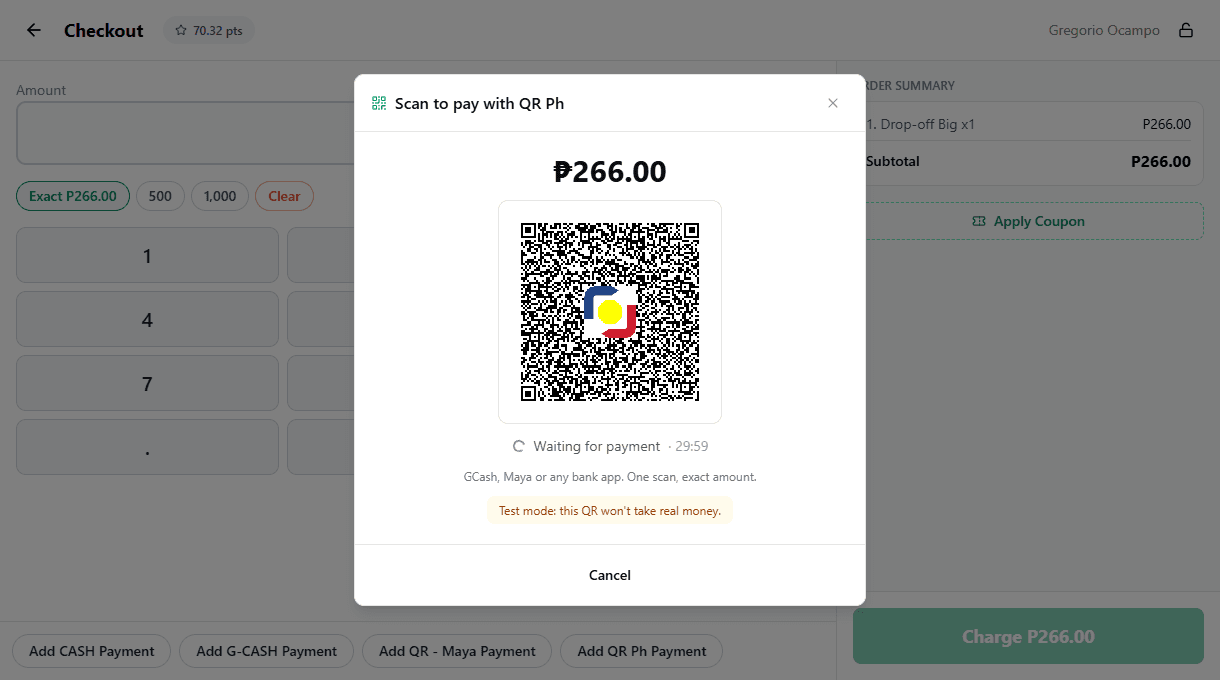
- Tap Add QR Ph Payment. The POS makes a QR for the exact amount.
- The customer scans it with GCash, Maya or almost any Philippine bank app, and pays.
As soon as the payment goes through, the POS adds it. If the QR covers the whole bill, the sale finishes by itself and the receipt prints like any other sale.
Even easier with a customer display
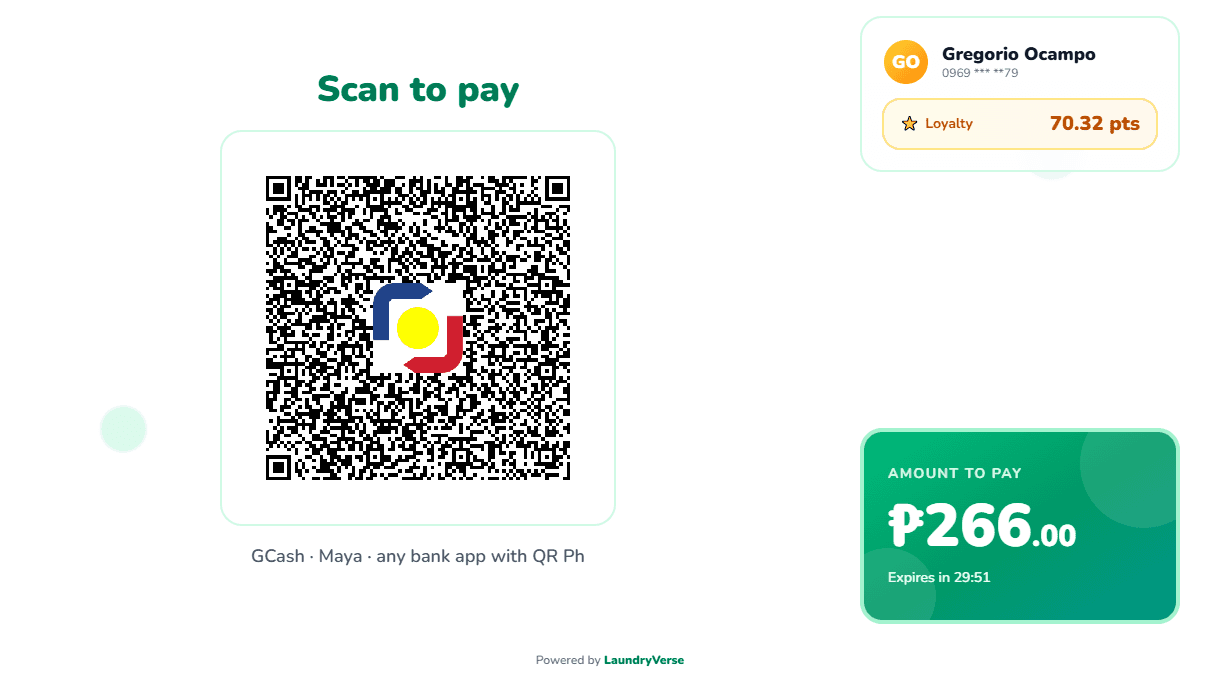
If your counter has a customer display, you don't have to turn the tablet around. When the cashier opens checkout, the display shows Scan to pay with the QR and the total. If the customer pays cash instead, the cashier just adds the cash and the QR goes away.
The money goes straight to you
QR Ph runs on your own PayMongo account. Payments land in your PayMongo balance, not ours. LaundryVerse never holds your money and doesn't add a fee on top of PayMongo's.
A few more things that matter at a real counter:
- Mix payments. ₱100 by QR and the rest in cash works fine.
- Balances at pickup. Customers can pay an order's remaining balance by QR when they claim it.
- Nothing gets lost. If the app closes mid-payment or the cashier cancels just as the customer pays, the payment shows up under unfinished QR payments so you can finish the sale.
- Shift close stays honest. QR Ph has its own line in the shift report and isn't counted as drawer cash.
Setting it up
Setup takes about 5 minutes. As the owner, open Catalog → Payment Types in the dashboard, paste your PayMongo secret key into the QR Ph card, and click Connect. LaundryVerse registers itself with PayMongo for you, so there's nothing to copy back and forth.
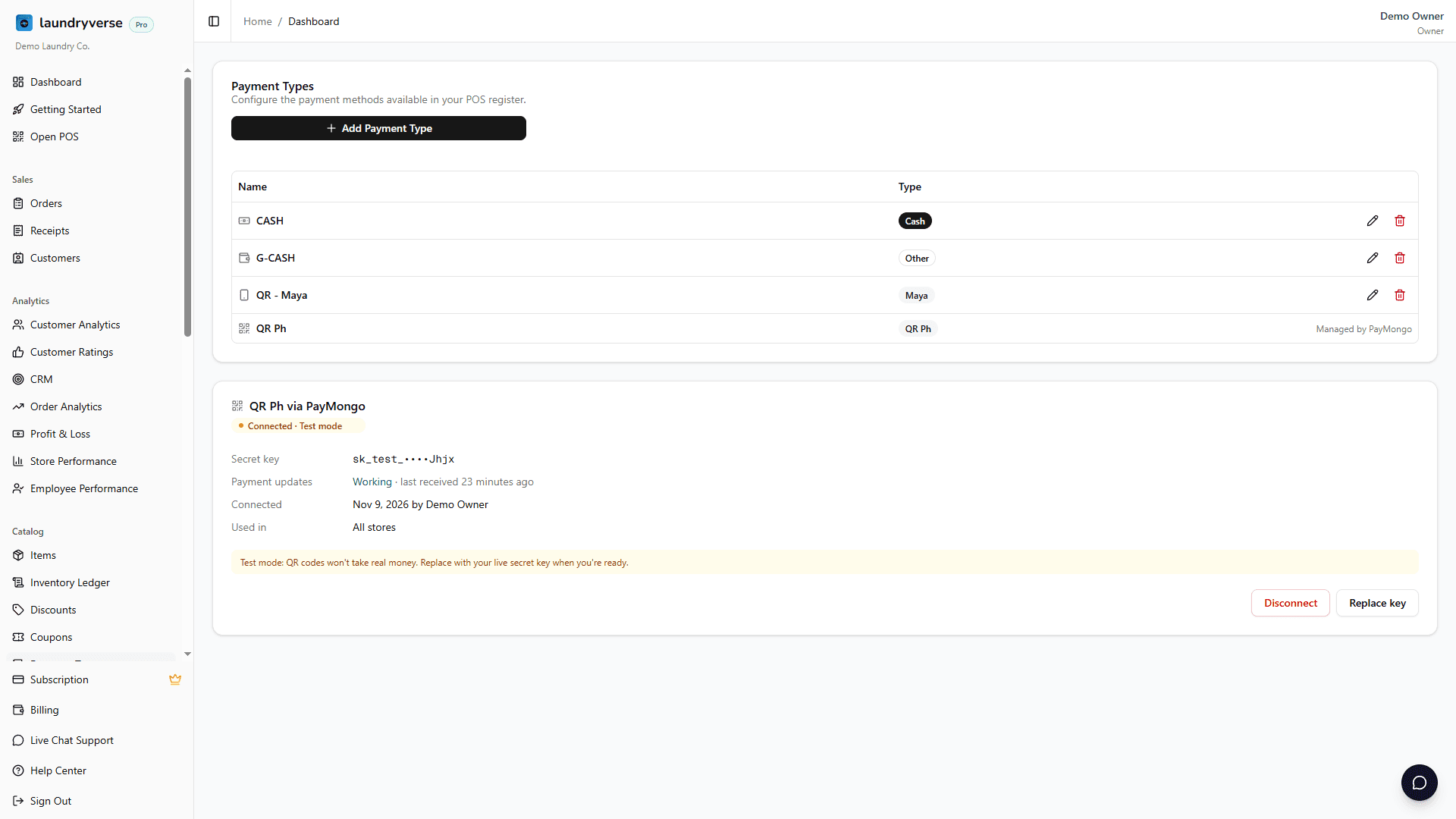
QR Ph payments are included in the Business plan and up. You need a PayMongo account with QR Ph active. The step by step guide covers getting your key and testing with a test key first.
LaundryVerse is built by a laundry owner, and this one came straight from our own counter. If you try it, we'd love to hear how it goes at yours.
Run your counter on LaundryVerse and take QR Ph payments that confirm themselves.