Account Setup
This guide takes you from "I just heard about LaundryVerse" to "I'm staring at my own dashboard." About 5 minutes, no credit card.
Before you start
You'll need:
- An email address, or a Google account (Sign in with Google works in one click)
- Optional: A Loyverse API key — only if you're migrating an existing Loyverse shop. You can grab this later from Loyverse Back Office → Settings → API Access (see Importing from Loyverse)
That's it. You don't need to buy hardware, connect a printer, or have any items set up yet — LaundryVerse pre-fills the basics so you can ring up a first order on a laptop today.
1. Sign up
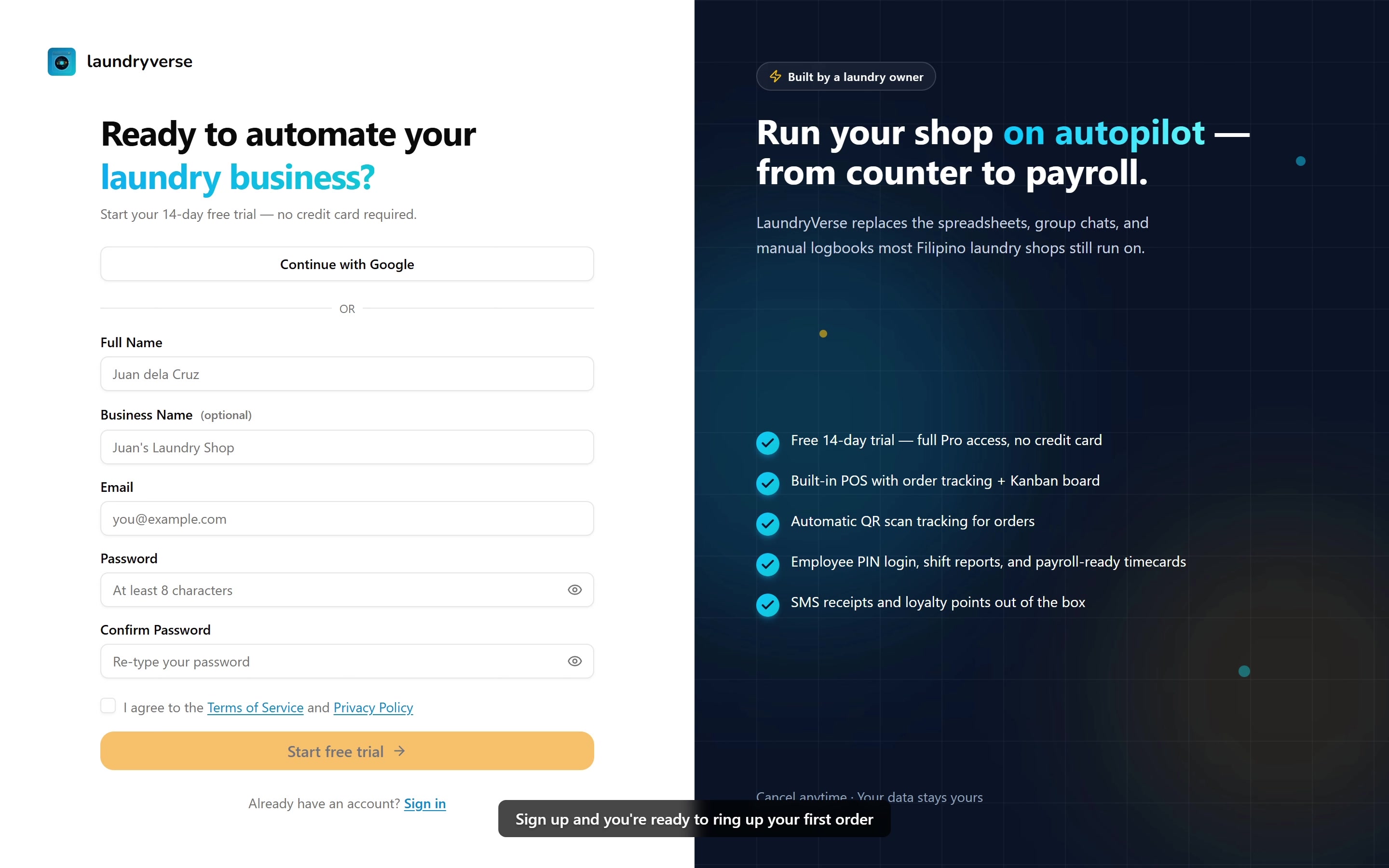
Go to laundryverse.app/auth/signup.
The walkthrough above demonstrates signing up with email. If you'd rather use Google, the flow is identical from step 2 onward — feel free to click Continue with Google instead and skip ahead.
You have two options:
Option A — Continue with Google (recommended)
Click Continue with Google and pick your Google account. You'll skip the password step entirely and land on the next screen in one tap.
Option B — Email + password
Fill in the form:
- Full Name — your name
- Business Name (optional) — your shop name, e.g.
Juan's Laundry Hub. You can change this later. - Email — where verification + account emails will go
- Password — minimum 8 characters
- Tick the terms & privacy checkbox
- Click Start free trial
We'll send a verification link to your email. Open the inbox, click the link, and you'll be logged in automatically.
Check your spam folder, especially with Gmail and Yahoo. The sender is [email protected]. The link expires after 24 hours — if it does, just hit signup again with the same email and you'll get a fresh one.
2. Pick your setup path
After signing up, you'll land on the "How do you manage sales?" screen. This is the single most important choice in onboarding — read both options before clicking.
Use LaundryVerse POS (fresh start)
Pick this if:
- You're new to digital POS, or
- You're running on pen + paper / Excel, or
- You're already on Loyverse but happy to re-enter your data
LaundryVerse will:
- Create your first store automatically (you'll name it on the next screen)
- Let you pick from item templates — pre-built laundry catalogs covering common shop setups (self-service basics, drop-off packages, service add-ons, and more). You can mix and match. Every price, name, and item is editable from the dashboard afterward.
- Set up the standard payment types (Cash, GCash, Bank Transfer)
After this, you'll land on the dashboard ready to set up a POS device.
Once you're in the dashboard, you can bring your sales history in from a CSV so your reports and customer history start complete instead of from zero. See Importing Past Sales.
Import from Loyverse
Pick this if:
- You're actively using Loyverse Back Office today, and
- You want your existing stores, items, customers, and past receipts brought over
The flow is OAuth (one click) or you can paste an API key. We'll cover this in detail in Importing from Loyverse — including what gets imported, what doesn't, and how to verify it after sync.
Once you finish onboarding, you can't switch paths from inside the app. If you pick wrong and want to start over, contact support — we can reset your tenant.
3. Land on your Getting Started checklist
Whichever path you picked, you'll end up on Dashboard → Getting Started. This is your home base for the rest of setup.
The checklist is split into three phases:
| Phase | What it covers | When to do it |
|---|---|---|
| Activation (3 steps) | Set up a device · Create your first order · Confirm hardware | Today. This is the path to your first transaction. |
| Customize | Operating hours, item tags, board cards, dry counts, employees | This week, once you've seen the workflow |
| Optimize | Stations app, SMS notifications | When you're comfortable with the basics |
Focus only on Activation today. The other phases will still be there tomorrow.
The fastest way to learn LaundryVerse is to ring up a real (or pretend) order end-to-end. Items, prices, employees — all of it is easy to edit after the fact. Ringing up your first order on a laptop browser is totally fine; you don't need a tablet yet.
What's next?
You're signed up. Your tenant exists. You have a dashboard. Time to set up the device your team will actually use.
- If you picked Use LaundryVerse POS → continue with Setting Up the POS — generate a store code, install the app, log in with a PIN, and open your first shift.
- If you picked Import from Loyverse → continue with Importing from Loyverse — verify everything synced correctly before moving on.
Stuck? Email [email protected] — the founder reads every message.